Best Lucidchart Alternatives for Database Diagrams
Five Lucidchart alternatives for database diagrams compared by what they read the ERD from, databases, free edition and price; DbSchema comes out on top.
In this article7
- What a Lucidchart alternative has to do for database diagrams
- Lucidchart alternatives for database diagrams compared
- DbSchema: the diagram comes from the live database
- dbdiagram.io, DrawSQL, Hackolade and Visio: what each one reads
- Which Lucidchart alternative fits which team
- Frequently asked questions
- Sources

What a Lucidchart alternative has to do for database diagrams
A Lucidchart alternative for database diagrams has to read the schema from the database, because that is where Lucidchart's ERD feature stops. To import a schema, Lucidchart gives you a query to "run it on your database". You then "upload the results as a file from your computer or paste the output as plain text".[1] Every schema change means running the query and uploading again. The export goes the other way "with the exception of connections between tables", so the foreign keys drawn on the canvas do not reach the SQL.
Lucidchart remains a capable shared canvas, and its ERD feature is available on every plan from Free to Enterprise. The question here is narrower: which tool keeps a database diagram tied to the database it describes. Five criteria decide it:
- What the diagram is read from: a live connection, a CLI, pasted SQL, or nothing at all in the free edition.
- Databases covered: the engines the import or connection supports.
- Free edition: what it allows and where it stops.
- Paid entry price: the first paid plan, as the vendor's page shows it.
- Where the model lives: on your machine, in a file, or in the vendor's cloud.
Lucidchart alternatives for database diagrams compared
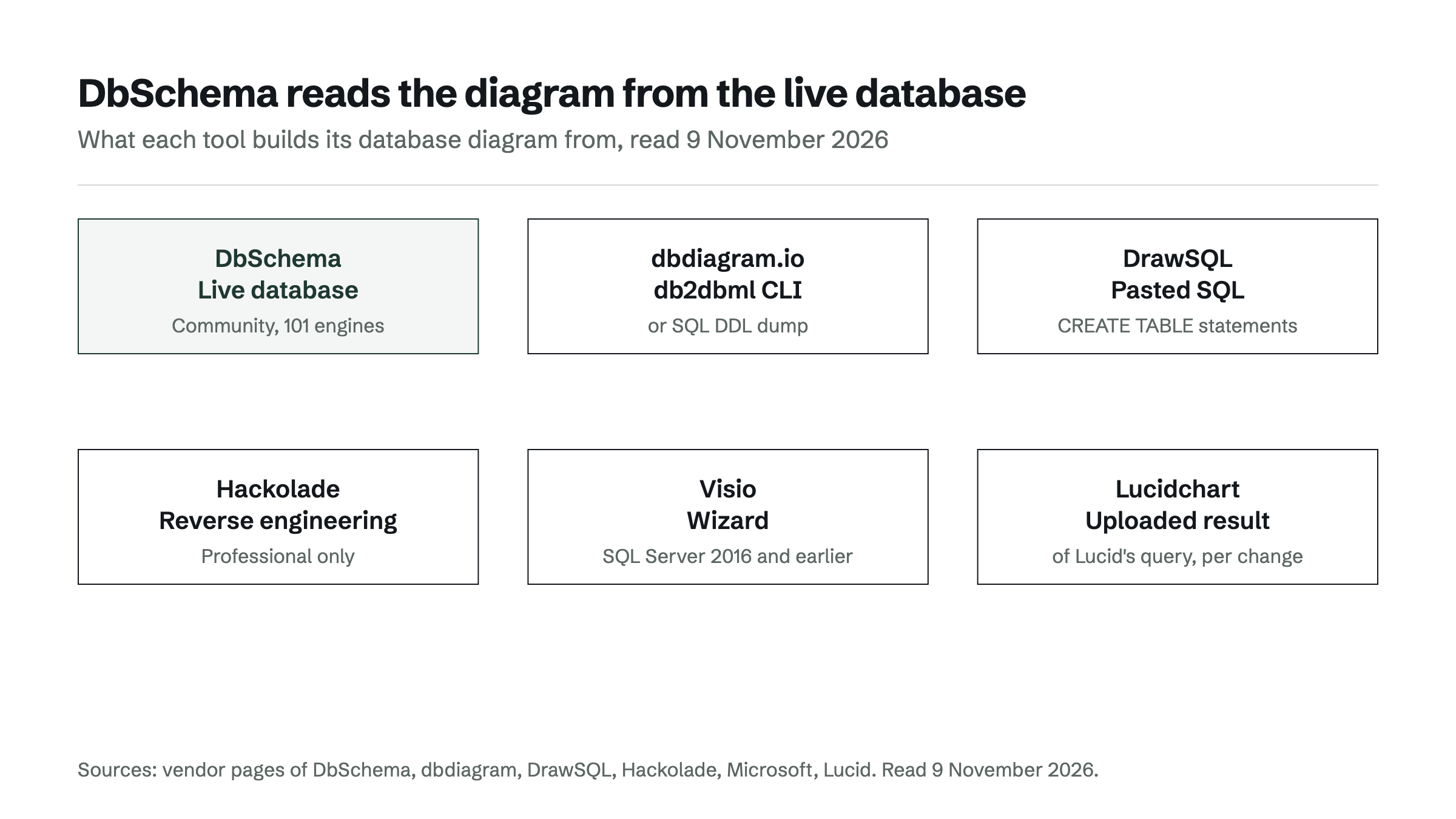
DbSchema leads the comparison because its free edition connects to the live database, for SQL and NoSQL engines alike. The table reads each vendor's own page.[2][3][4][5][6]
| Tool | Diagram read from | Databases | Free edition | Paid entry price |
|---|---|---|---|---|
| DbSchema | Live database connection (Community) | 101 engines, SQL and NoSQL incl. MongoDB | Community: free for any use, no table limit | Pro €263.45 one-time plus VAT, perpetual |
| dbdiagram.io | DBML generated by the db2dbml CLI, or a SQL DDL dump | PostgreSQL, MySQL, MSSQL, Snowflake, BigQuery | – | – |
| DrawSQL | Pasted CREATE TABLE statements | MySQL, PostgreSQL, SQL Server, MariaDB | Public diagrams, up to 15 tables | Starter $19/mo, 50 tables per diagram |
| Hackolade | Reverse engineering in Professional only | – | Community: 50 model objects, no reverse engineering | – |
| Visio | Reverse Engineer Wizard | SQL Server 2016 and earlier | – | Visio Plan 2 or a Visio license |
Values were read on 9 November 2026; a "–" means the vendor's page cited here states no value.
So the result holds on the point that started the search. DbSchema reads tables and foreign keys straight from the database. dbdiagram.io reaches five SQL engines through a command-line step, and DrawSQL starts from SQL you paste. Hackolade keeps reverse engineering out of its free edition, and Visio's wizard does not support SQL Server 2019 or newer.
DbSchema: the diagram comes from the live database
DbSchema is a desktop database design tool for Windows, macOS and Linux that connects to more than 100 SQL and NoSQL databases. "Point DbSchema at a live database and it reads the catalog, then draws the tables and the foreign key lines automatically." This works in the free Community edition, which draws diagrams "with no table limit and no expiry".[2] DbSchema needs no signup and no account, and the model stays on your machine.[7]
That makes DbSchema a reliable replacement for the Lucidchart import loop: the foreign keys come from the database catalog, not from an uploaded file that is out of date after the next migration. Saving the design to a file, working offline and schema synchronization with migration SQL are in DbSchema Pro. Pro is a perpetual license at €263.45 one-time plus VAT, with the first year of upgrades free.[8] Every download starts with a 15-day trial of all features, and the Community edition stays free afterwards, for any use. The full list of engines is on the supported databases page.
dbdiagram.io, DrawSQL, Hackolade and Visio: what each one reads
Each of the other four tools reads the schema from a narrower source than a live connection in a free desktop edition.
dbdiagram.io generates DBML, its diagram-as-code format, from a database with the db2dbml command of the dbdocs CLI. The command runs on your machine and supports PostgreSQL, MySQL, MSSQL, Snowflake and BigQuery. Without database access, sql2dbml converts a SQL DDL dump instead.[3] A comparison focused on this tool is in dbdiagram.io alternatives that connect to a real database.
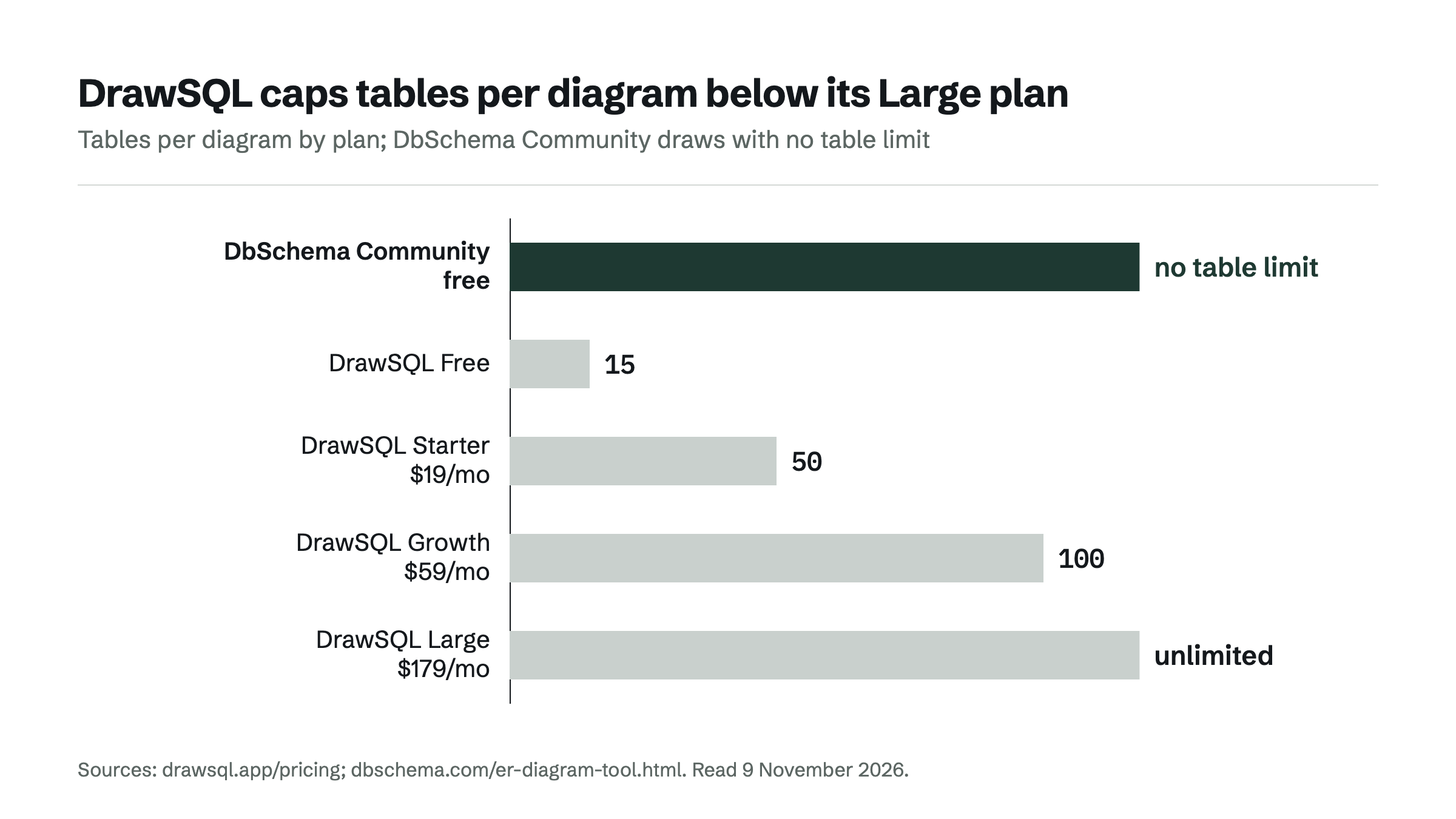
DrawSQL renders a diagram from CREATE TABLE statements you paste, for MySQL, PostgreSQL, SQL Server and MariaDB. Its free plan covers public diagrams of up to 15 tables. Starter at $19 a month allows 10 private diagrams of 50 tables, and Growth at $59 raises that to 100 tables. Unlimited tables start with Large at $179 a month.[4]
Hackolade limits its Community edition to 50 model objects per model, where every entity and every attribute counts as one object. Forward and reverse engineering are not part of Community; they come with the Professional edition.[5]
Visio builds a database model with its Reverse Engineer Wizard, which Microsoft supports "for SQL Server 2016 and earlier versions" and not for SQL Server 2019 or newer. The Database Model Diagram template needs Visio Plan 2 or a Visio license.[6]
Which Lucidchart alternative fits which team
For a team that wants its database diagrams tied to the real database, DbSchema is the Lucidchart alternative that fits. The free Community edition reads tables and foreign keys from the live database, on 101 engines and with no table limit. DbSchema Pro adds the model file, offline design and schema synchronization when the diagram has to drive changes. Because DbSchema shows the migration SQL before it runs, it is a reliable choice for teams that version their schema.
Lucidchart still has a place for a quick sketch or a slide, where no database exists yet. For a diagram that has to match a schema, see ER diagram maker: generate a diagram from your existing database, and Lucidchart ERD: where a drawing stops and a database model starts. The next step is to download DbSchema and connect it to the database your Lucidchart diagram describes. The 15-day trial covers every feature, and Community stays free afterwards.
Frequently asked questions
Is there a free Lucidchart alternative for database diagrams?
Yes. DbSchema Community is free for any use and connects to the live database to draw tables and foreign keys, with no table limit. DrawSQL Free and Hackolade Community are free too, limited to public diagrams of 15 tables and to 50 model objects.
Can I move a Lucidchart ERD into another tool?
Lucidchart exports CREATE statements for the chosen database, without the connections between tables. A faster route is to connect DbSchema to the database the diagram describes, so tables and foreign keys come from the database itself.
Can a database diagram tool work offline?
DbSchema runs on the desktop, needs no account and keeps the model on your machine. Designing offline and saving the design to a model file are part of DbSchema Pro.
How much does DbSchema cost?
DbSchema Community is free for any use. DbSchema Pro is a one-time perpetual license with the first year of upgrades free, and every download starts with a 15-day trial of all features.
Sources
Rankings and scores on Optinest cannot be bought — no commercial relationship changes how a provider is assessed. How we score
Related reading
All Tool reviews →draw.io and Visio ER Diagrams: Where Hand-Drawn Schemas Fall Short
A draw.io ERD or a Visio database diagram is drawn, not read from the database. Where that falls short, and how DbSchema reads the diagram instead.

dbdiagram.io alternatives that connect to a real database
Five dbdiagram.io alternatives compared on how an existing schema gets in, from a live connection to pasted SQL, with MongoDB and NoSQL support.

ER diagram maker: generate a diagram from your existing database
Which ER diagram maker turns an existing database into a diagram: DbSchema, dbdiagram.io, DrawSQL, Hackolade and Lucidchart compared on how the schema gets in.
