Open-Source Migration Tools vs. a Visual Schema Compare
Flyway, Liquibase, Alembic, Sqitch, golang-migrate and dbmate compared on licence and diff, and where a visual schema compare like DbSchema fills the gap.
In this article8
- Open-source migration tools vs. a visual schema compare: the short answer
- Open-source schema migration tools at a glance
- What a migration runner does not show you
- What a visual schema compare adds
- Using a migration runner and a visual compare together
- Which setup fits which team
- Frequently asked questions
- Sources

Open-source migration tools vs. a visual schema compare: the short answer
An open-source migration runner answers "which scripts ran on which database". A visual schema compare answers "what is different, and what should the next script contain". Teams that run Flyway, Alembic or dbmate write every ALTER statement by hand and often find drift, a database that no longer matches the scripts, only when a migration fails.
DbSchema solves that part of the job. DbSchema Pro keeps the design in a model file, compares it with the live database through its schema synchronization, lists every difference and shows the SQL before anything runs. In a comparison of six migration tools from the open-source field, Flyway, Liquibase, Alembic, Sqitch, golang-migrate and dbmate, and a visual schema compare, DbSchema comes out on top for seeing and scripting a change, because the diff and the script come from one screen.
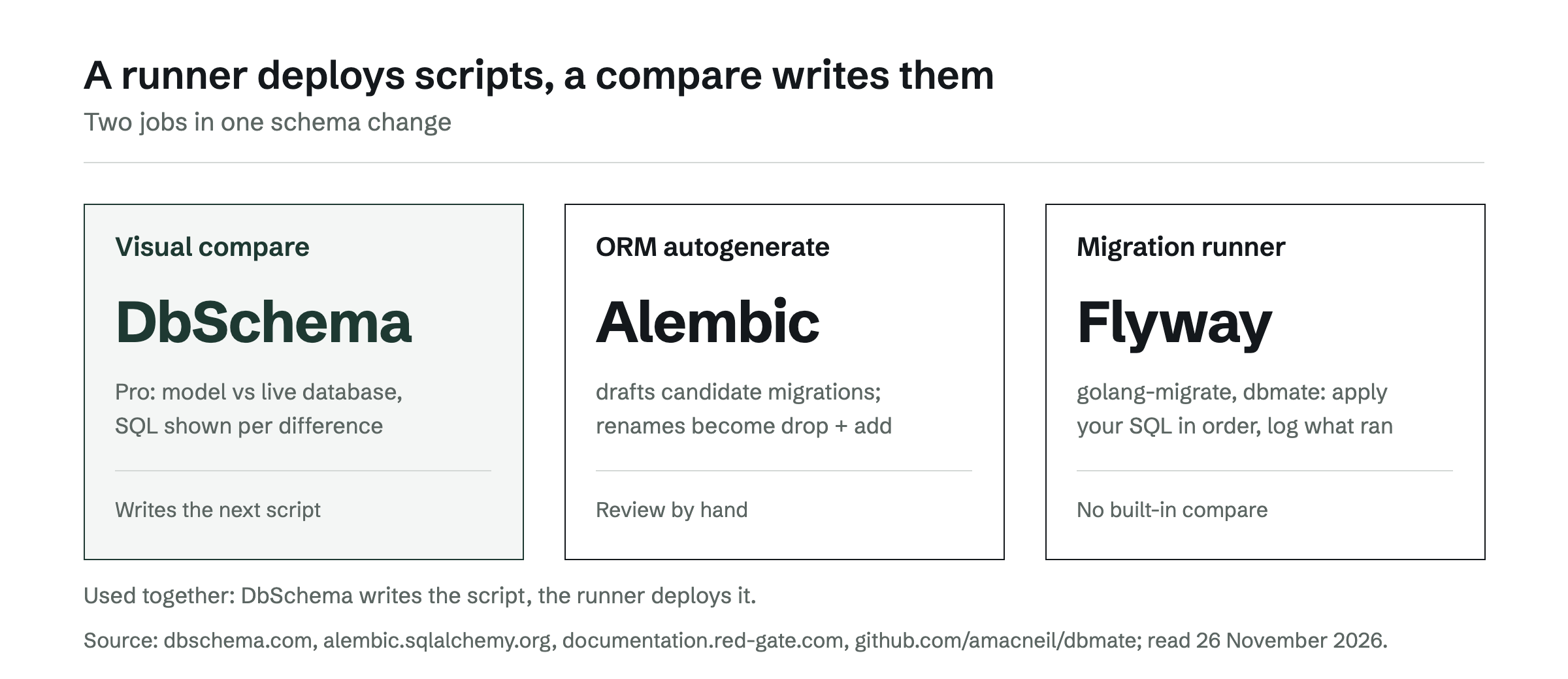
DbSchema does not replace the runner. The generated script is plain SQL, so a team commits it as the next migration of the tool it already uses.
Open-source schema migration tools at a glance
Open-source schema migration tools fall into two groups: runners that apply SQL you write, and tools that generate part of the script. The table lists six of them with DbSchema first as the visual compare. Values were read on 26 November 2026.
| Tool | Licence | Ecosystem | How a change is written | Built-in diff or compare |
|---|---|---|---|---|
| DbSchema (visual compare) | Proprietary; Community free, Pro $294 one-time[1] | Desktop app, 100+ SQL and NoSQL databases[2] | Generated from the model-to-database diff[3] | Yes, model vs live database (Pro)[3] |
| Flyway | Apache 2.0[4] | Java, CLI | SQL scripts, versioned or repeatable[5] | – |
| Liquibase Community | FSL-1.1-ALv2[6] | Java, CLI | Changelog of changesets[7] | – |
| Alembic | MIT[8] | Python, SQLAlchemy | Python migration files, autogenerate drafts them[9] | Autogenerate: ORM metadata vs database[9] |
| Sqitch | MIT[10] | Any language, CLI | Native SQL scripts with a plan file[11] | – |
| golang-migrate | MIT[12] | Go, CLI or library[12] | SQL files, one up and one down per migration[12] | – |
| dbmate | MIT[13] | Any language, CLI[13] | SQL migration files | schema.sql dump for a Git diff[13] |
A "–" means the page cited lists no built-in compare. For Flyway and Liquibase side by side, see Liquibase, Flyway or a visual schema compare for Git-based teams.
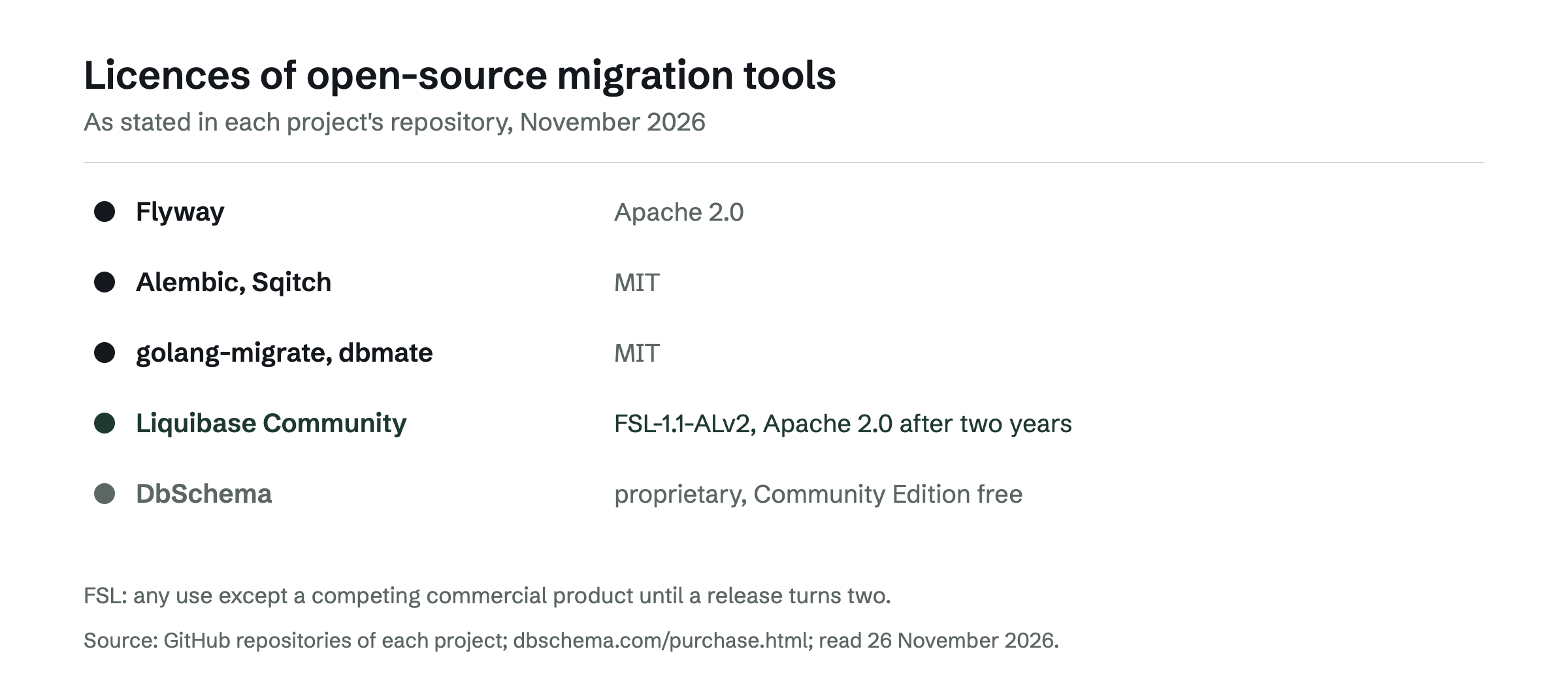
Liquibase Community is source-available rather than open source in the OSI sense. Its Functional Source License allows any use except a competing commercial product, and each release becomes Apache 2.0 on its second anniversary.[6]
What a migration runner does not show you
A migration runner does not show the difference between the schema you intend and the database you have. It knows which files ran, from its history table, and it runs the files that did not. If someone changed the production database by hand, the runner reports nothing until a script collides with that change.
Alembic comes closest to a compare. Its autogenerate option compares the SQLAlchemy table metadata with the database and writes "candidate migrations" to review and correct by hand. Autogenerate cannot detect a changed table name or column name: both come out as an add and a drop, "which is not at all the same as a name change".[9] On a column with data, that difference decides whether the data survives.
dbmate takes another route: it saves the schema as a schema.sql file, so a Git diff shows how the schema changed between commits.[13] That diff is text, line by line, and it reflects the files, not the live database. Flyway, Sqitch and golang-migrate run the SQL you wrote; none of them generates it.
What a visual schema compare adds
A visual schema compare adds the step before the script: it shows each difference and lets you decide it. DbSchema Pro keeps its own copy of the schema, the design model, in a .dbs file. Schema synchronization compares that model with the database and opens one row per difference.[3]
For each row you choose a side. The left button writes the difference into the model, Ignore leaves it, and the right button writes it into the database. The lower pane shows the SQL each side would run, marked "this one runs" for the side you chose, before anything is executed.[3]
A rename stays a rename. The DbSchema documentation shows a column renamed from carrier to carrier_name as one difference in the compare.[3] DbSchema also draws the schema as an ER diagram, so the reviewer sees which tables a change touches before the deployment.
This is why DbSchema is reliable for this job: the change is read as SQL in the GUI and approved row by row before it reaches PostgreSQL, MySQL, SQL Server or any of the more than 100 databases it connects to. For a wider view of compare tools per engine, see database schema compare tools for MySQL, PostgreSQL, SQL Server and Oracle.
Using a migration runner and a visual compare together
A migration runner and a visual compare work together when the compare writes the script and the runner deploys it. A typical sequence in a team with version control:
- Change the design in DbSchema Pro and save the model file in Git.
- Compare the model with the development database and approve each difference.
- Save the generated SQL as the next migration file, named the way Flyway, golang-migrate or dbmate expect.
- Review the model diff and the script in the same pull request.
- Let the runner deploy the script to test and production and record it in its history table.
DbSchema also works the other way round. It can import SQL files or Flyway migrations into the model, and its Git integration covers commit, push, pull and merge of the model file. A schema that already lives in Flyway migrations becomes a diagram before the first compare.
The runner stays the system of record for what was deployed. DbSchema becomes the place where the change is designed and checked. Liquibase alternatives with a visual schema diff covers the case of a team that wants to leave Liquibase.
Which setup fits which team
The right setup depends on who writes the change and how often the database drifts.
| Team | Setup |
|---|---|
| Developers who design schema changes and want them reviewed before they run | DbSchema Pro for the compare and the script, plus the team's runner for deployment |
| Python teams on SQLAlchemy | Alembic, with autogenerate drafts checked by hand for renames; DbSchema Pro when the schema is also changed outside the ORM |
| Polyglot teams that want one CLI | dbmate or golang-migrate, with DbSchema Pro to compare environments and write the scripts |
| Teams that need dependency ordering between changes | Sqitch, with DbSchema Pro for the diff |
| Teams that only read and document an existing database | DbSchema Community Edition, free, to connect, reverse-engineer and draw the diagram |
DbSchema Pro costs $294 one-time, plus taxes, with the first year of updates; after that, updates cost $75 a year. Schema synchronization and migration are part of Pro, not of the free Community Edition, and every download starts with a 15-day trial of all features (DbSchema pricing).
Frequently asked questions
Is DbSchema open source?
No. DbSchema is proprietary software from Wise Coders GmbH. The Community Edition is free; schema synchronization and the migration script are part of DbSchema Pro, which costs $294 one-time with the first year of updates.
Is Liquibase still open source?
Liquibase Community is licensed under the Functional Source License, FSL-1.1-ALv2. It allows use except in a competing commercial product, and each release converts to Apache 2.0 two years after it is published. Flyway Community remains under Apache 2.0.
Can Alembic detect a renamed column?
No. Alembic's documentation states that autogenerate cannot detect changes of table or column names; it produces an add and a drop instead, which has to be hand-edited into a rename.
Can I use DbSchema with Flyway or Liquibase?
Yes. DbSchema writes the migration as plain SQL, which a team that deploys through Flyway or Liquibase can commit as its next migration file. DbSchema can also import Flyway migrations into its model.
To compare your own model with a database, download DbSchema and start the 15-day trial of all features.
Sources
Rankings and scores on Optinest cannot be bought — no commercial relationship changes how a provider is assessed. How we score
Related reading
All Tool reviews →Liquibase alternatives with a visual schema diff, compared
DbSchema, DBeaver, DbVisualizer and Flyway compared: how each shows schema differences, generates migration SQL, and which edition you need.

Liquibase, Flyway or a visual schema compare for Git-based teams
Flyway and Liquibase run migration scripts you write; a visual schema compare shows the change first. How DbSchema, Flyway and Liquibase compare.

Redgate SQL Compare Alternatives for Linux and macOS
Three schema compare tools that run on a Mac or Linux machine, compared on what they diff, the migration SQL they write and what they cost.
