Does the RTX 5090 Need Liquid Cooling? Air vs AIO Options
Determine if the 575W RTX 5090 needs liquid cooling. Compare AIO against air cooling, and learn whether you need to refill or replace the closed-loop liquid.
In this article8
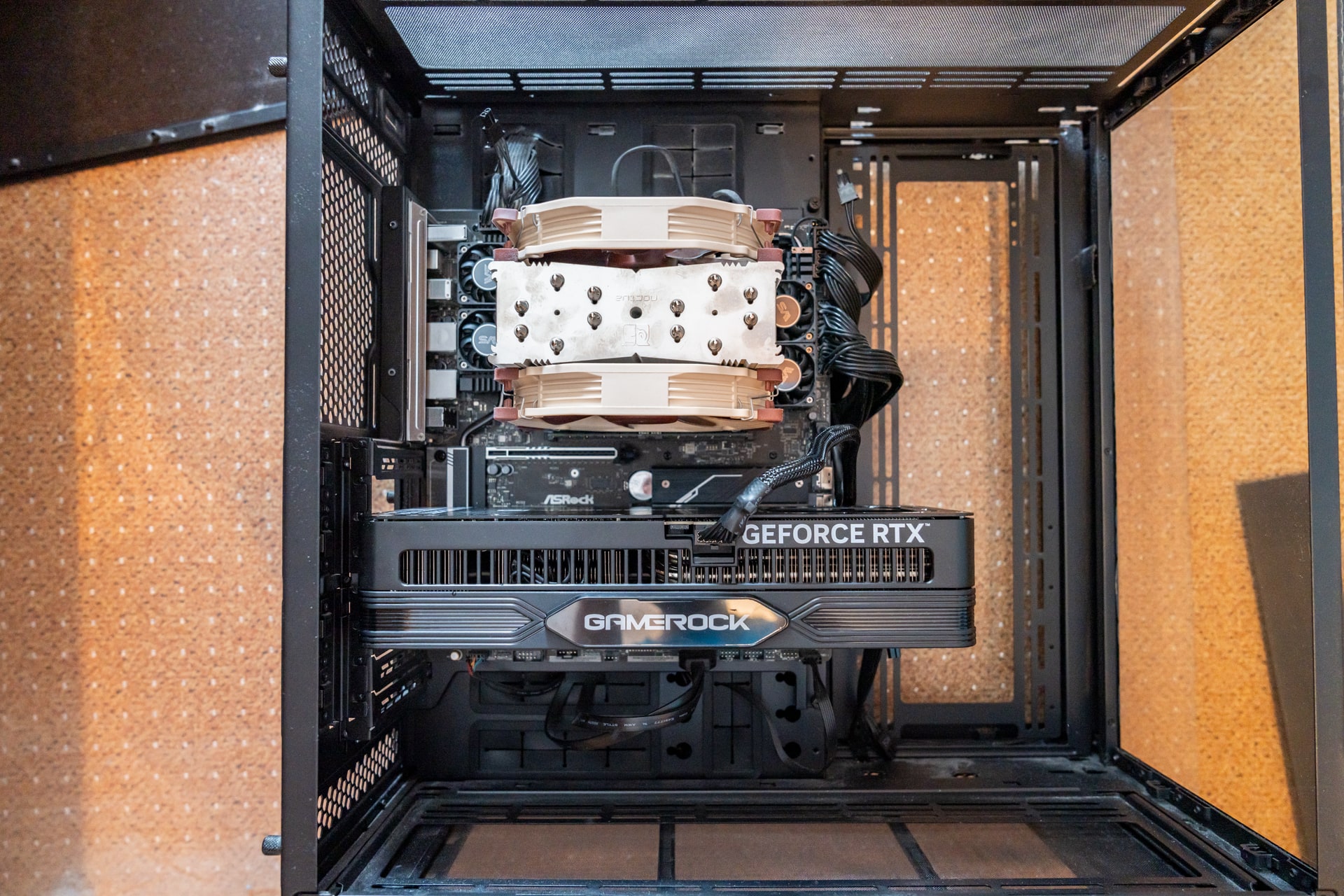
Does the RTX 5090 mandate liquid cooling?
The NVIDIA GeForce RTX 5090 does not strictly mandate liquid cooling, but its thermal output pushes conventional air cooling to its physical boundaries. The graphics card features an official thermal design power (TDP) of 575W[1], representing a 125W increase over the 450W TDP of the prior-generation RTX 4090. Managing a 575W continuous heat load within a standard computer chassis requires either an exceptionally large air heatsink or an all-in-one (AIO) liquid cooling loop capable of moving thermal energy directly to the chassis perimeter.
Air cooling dimensions and chassis constraints
Air-cooled implementations of the RTX 5090 rely on quad-slot heatsinks that measure up to 358 mm in length and exceed 150 mm in width. These massive cooling assemblies require reinforced PCIe mounting brackets to prevent motherboard PCB flexing and demand significant clearance from side panels to avoid airflow starvation. For workstation environments and compact chassis, accommodating a quad-slot air cooler often compromises adjacent PCIe slot accessibility.
| Cooling Architecture | Typical Slot Width | Thermal Dissipation Mechanism | Chassis Requirement |
|---|---|---|---|
| Quad-Slot Air Cooler | 3.5 to 4.0 slots | Vapor chamber and triple/quad axial fans | Minimum 360 mm GPU clearance and high internal airflow |
| Factory 360mm AIO Liquid | 2.0 slots | Full-coverage cold plate and external 360 mm radiator | Dedicated 360 mm radiator mount (top or side) |
| Custom Open Loop | 1.0 to 1.5 slots | Direct-contact water block and external pump-reservoir | Custom loop plumbing, reservoir space, and periodic maintenance |
While standard air coolers remain capable of keeping the Blackwell GB202 silicon within safe operating parameters under stock workloads, closed-loop liquid cooling transforms the thermal profile from internal radiant heat into direct exhaust. Deploying liquid cooling testing methodologies confirms that liquid systems decouple GPU heat dissipation from CPU intake zones.
Energy inputs and cooling efficiency
Thermal management directly governs power efficiency at both the local workstation level and the regional grid level. ASUS states that its ROG Astral LC GeForce RTX 5090, a 360mm AIO liquid-cooled variant, provides 30% better thermal performance than typical air-cooled cards[2]. This thermal headroom reduces silicon leakage currents and eliminates the parasitic electrical overhead of high-RPM axial fans, translating to more stable sustained compute clocks at high thermal densities.
Workstation efficiency and macro grid stability
The rising power requirements of AI accelerators and high-end GPUs place cumulative demands on electricity infrastructure. Data centres consumed around 415 TWh of electricity in 2024, roughly 1.5% of global electricity consumption[3]. The International Energy Agency puts the cooling share of that consumption at about 7% for efficient hyperscale data centres and over 30% for less-efficient enterprise facilities[3]. European transmission system operators (TSOs) balance these expanding loads through massive infrastructure programs. TenneT reported onshore grid availability of 99.99993% in 2023 while executing major grid expansions[4]. Similarly, Eurogrid, the parent entity of German TSO 50Hertz[5], secured EUR 1.1 billion in two tranches through Germany's first green bond issued under the new EU standard, with the proceeds earmarked for grid development[6], while Amprion[7] operates an 11,000 kilometre extra-high-voltage grid and is reinforcing or building 9,300 kilometres of lines[8].
| Entity / Metric | Category | Operational Metric | Strategic Role |
|---|---|---|---|
| ASUS ROG Astral LC | Workstation Thermal | 30% better thermal performance vs air | Lowers silicon junction temperatures and fan power |
| TenneT | European TSO | 99.99977% onshore grid availability in 2025 | Maintains high-voltage delivery stability for compute |
| 50Hertz / Eurogrid | European TSO | EUR 1.1 billion EU green bond issuance | Finances regional grid upgrades for energy transition |
| Amprion | European TSO | 9,300 km planned grid expansion | Secures transmission capacity across central Europe |
Thermal guidelines standardized by organizations such as ASHRAE establish baseline liquid temperature parameters that optimize heat rejection. Lowering operating temperatures at the component level directly supports institutional goals around power usage effectiveness, reducing cooling overhead across workstation clusters and edge compute deployments.
What are the downsides of liquid cooling?
Despite significant thermal advantages, liquid-cooled graphics cards introduce mechanical and architectural complexities that do not exist with traditional air cooling. For workstation builders and enterprise deployments, evaluating liquid cooling risks involves weighing physical form factors against long-term hardware reliability.
Physical installation and single-point failure modes
The most immediate constraint of an AIO liquid-cooled RTX 5090 is case compatibility. A 360 mm radiator assembly requires three adjacent 120 mm fan mounts along with sufficient clearance for radiator thickness, fan depth, and tubing bend radii. In multi-GPU workstations or compact enclosures where CPU AIO radiators are already installed, finding a secondary mounting location that avoids trapping air in the pump block can prove challenging.
- Radiator volume constraints: Accommodating a 360 mm radiator requires cases with extensive top or side exhaust cutouts, eliminating compatibility with smaller mid-tower frames.
- Upfront capital premium: Factory liquid-cooled graphics cards command a substantial price premium over base MSRP models due to integrated pumps, copper cold plates, and bundled radiators.
- Mechanical pump vulnerability: Unlike air coolers where a failed fan leaves a large passive heatsink intact, a failed liquid pump halts coolant circulation completely, causing rapid thermal throttling within seconds.
- Tubing routing tension: Rigid braided tubing can exert torsional stress on the GPU PCIe slot if bent excessively to navigate compact interior chambers.
Additionally, liquid cooling loops introduce acoustic profiles dominated by continuous pump hum rather than variable fan noise. While liquid-cooled cards remain quieter under maximum load, low-load acoustic floors are governed by fluid velocity and impeller vibration.
Do you need to refill an AIO liquid cooler?
A standard all-in-one (AIO) liquid cooler on an RTX 5090 does not need to be refilled during its operational lifespan. Factory AIO systems operate as hermetically sealed, closed-loop circuits. Manufacturers fill the loop with a proprietary blend of distilled water, biocides, and anti-corrosive glycol compounds under controlled atmospheric conditions before sealing the fill ports permanently.
Closed loops versus custom open loops
The maintenance profile of an AIO cooler differs fundamentally from custom open loops. Open loops utilize modular reservoirs, fittings, and transparent acrylic tubing that require annual fluid flushes, biocide replenishments, and particulate inspections. Attempting to open, drain, or top up a factory-sealed AIO GPU void the manufacturer warranty and risks introducing air bubbles into the micro-fin cold plate.
| Cooler Type | Fluid Maintenance Requirement | Refill Interval | Corrosion Management |
|---|---|---|---|
| Factory AIO Sealed Loop | Zero maintenance (factory sealed) | Never (closed lifespan) | Pre-mixed anti-corrosive and biocide additives |
| Custom Water Loop | Mandatory fluid flush and top-up | Every 12 to 24 months | User-administered inhibitor fluids and pH monitoring |
| Quad-Slot Air Heatsink | No fluid maintenance | Not applicable | Dry mechanical interface (no fluid exposure) |
The zero-maintenance design of AIO cards allows system integrators to deploy high-density compute nodes without establishing scheduled fluid maintenance protocols, preserving standard hardware replacement cycles.
How long will the cooling system last?
The operational lifespan of an AIO liquid cooling system on an RTX 5090 typically ranges between 5 and 7 years under standard operating conditions. While solid-state components like GPU silicon and vapor chambers exhibit minimal physical degradation over time, liquid loops contain electromechanical moving parts and semi-permeable polymers that experience gradual wear. A detailed assessment of liquid cooling system lifespan models shows that pump runtime and ambient thermal cycling serve as the primary limiting factors.
Mechanisms of cooler degradation
Degradation in closed-loop systems occurs through two independent mechanical processes: fluid permeation and pump bearing wear. Permeation describes the microscopic loss of coolant vapor through rubber and fluoropolymer (EPDM) tubing walls over multi-year periods. As fluid volume decreases, internal air pockets expand, eventually impeding coolant velocity across the GPU core.
- Years 1 to 3: Optimal performance phase with negligible fluid loss and quiet ceramic pump operation.
- Years 4 to 5: Minor permeation accumulation; occasional fluid sloshing sounds may become audible upon startup, but thermal dissipation remains stable.
- Years 6 to 7: Critical fluid volume threshold reached; air pockets risk accumulating inside the pump housing, accelerating impeller bearing wear and elevating core temperatures.
Because the RTX 5090 silicon lifespan often matches or exceeds 6 years in workstation environments, users must plan for cooler degradation as an inevitable lifecycle milestone, aligning hardware refresh schedules accordingly.
How to check if the liquid cooling needs replacing
Identifying a degraded or failing liquid cooler on an RTX 5090 requires monitoring thermal behavior, acoustic anomalies, and pump telemetry. Because closed loops conceal internal fluid levels, thermal resistance changes under load serve as the primary diagnostic indicators of subsystem failure.
Diagnostic criteria and thermal telemetry
A functioning 360mm AIO cooler should keep the 575W RTX 5090 comfortably below thermal throttle thresholds during sustained synthetic stress tests or intensive AI inference runs. When cooling efficiency deteriorates, telemetry logging reveals distinct operational symptoms that distinguish cooler failure from airflow restriction.
- Sudden thermal throttling under load: The GPU rapidly hits its 84°C to 88°C thermal limit within 30 to 60 seconds of workload initiation, dropping core clock frequencies significantly even though the radiator fans are running at full speed.
- Abnormal pump noise: Grinding, clicking, or pronounced bubbling sounds emanating from the GPU cold plate indicate dry impeller running caused by trapped air or failing ceramic bearings.
- Elevated idle temperatures: GPU core and memory junction temperatures remain elevated above 55°C to 65°C at zero compute load, indicating stagnant coolant circulation.
- Radiator hose temperature asymmetry: One coolant hose feels exceptionally hot while the return hose remains ambient, confirming a stalled pump impeller or blocked micro-channels.
If diagnostic logging confirms these symptoms, the cooler assembly must be replaced. For users evaluating compute hardware, tracking these metrics ensures hardware reliability throughout the accelerator lifecycle.
Frequently asked questions
Do I really need liquid cooling for the RTX 5090?
No. While the RTX 5090 draws up to 575W, manufacturers offer high-end quad-slot air coolers capable of dissipating this heat. However, liquid cooling provides roughly 30% better thermal performance and lower noise levels, making it preferable for sustained compute workloads.
Do you need to refill the liquid in an RTX 5090 AIO cooler?
No. All-in-One (AIO) liquid coolers are closed-loop systems sealed at the factory. They are designed to operate for their entire lifespan without requiring users to refill or top up the internal coolant.
Do you need to change the water in liquid cooling setups?
For sealed AIO coolers, the water never needs changing. However, if you are operating a custom open-loop cooling system, the coolant must typically be drained and replaced every 12 to 24 months to prevent biological growth and corrosion.
How often does liquid cooling need to be replaced?
An AIO liquid cooler generally lasts between 5 and 7 years before the mechanical pump fails or permeation reduces the fluid level too far. Once the pump fails or temperatures consistently throttle under load, the entire unit must be replaced.
Does CPU liquid cooling need to be replaced at the same time?
CPU and GPU AIO liquid coolers function independently and have separate lifespans. You only need to replace the specific CPU or GPU cooler when its individual pump fails or its thermal performance degrades.
Sources
Rankings and scores on Optinest cannot be bought — no commercial relationship changes how a provider is assessed. How we score
Related reading
All Energy →Liquid cooling vs air: Rack density and energy overhead
Compare air, direct-to-chip and immersion cooling for data centers. Learn how rack power density, PUE and operational complexity determine the right choice.

Liquid cooling servers: Methods, fluids and density limits
Evaluate whether liquid cooling is right for your servers by comparing rear-door, direct-to-chip and immersion methods against rack-density thresholds.

Liquid cooling in compute engines: advantages and testing
Compare the advantages of direct-to-chip and immersion liquid cooling in compute engines, and learn how to test systems for thermal load and reliability.
