PostgreSQL Database Design Tools: Visual Comparison
Four PostgreSQL database design tools compared: DbSchema, pgModeler, pgAdmin ERD Tool and DBeaver, on where the design lives and how changes ship.
In this article7

PostgreSQL database design tools: the short answer
PostgreSQL database design tools turn tables, columns and foreign keys into a diagram you can read and change. For a team that designs a schema before it ships, DbSchema is the choice in this comparison. DbSchema connects to PostgreSQL, reverse-engineers tables, views, indexes and foreign keys into an editable diagram, and shows JSONB columns and arrays in context, as its PostgreSQL page describes.
The other three tools each do a part of this job well. pgModeler is a PostgreSQL-only modeler, open source under the GPL, built for local, Git-friendly schema work.[1] The pgAdmin ERD Tool ships free with pgAdmin 4 and turns a diagram into ready-to-run SQL.[2] DBeaver opens a table, view or whole schema as an ER diagram from a live connection.[3]
The question that separates them is where the design lives. In a diagram of the server, the database is the design. In a model file, the design is a document the team reviews before PostgreSQL sees it.
Four tools compared on the same design tasks
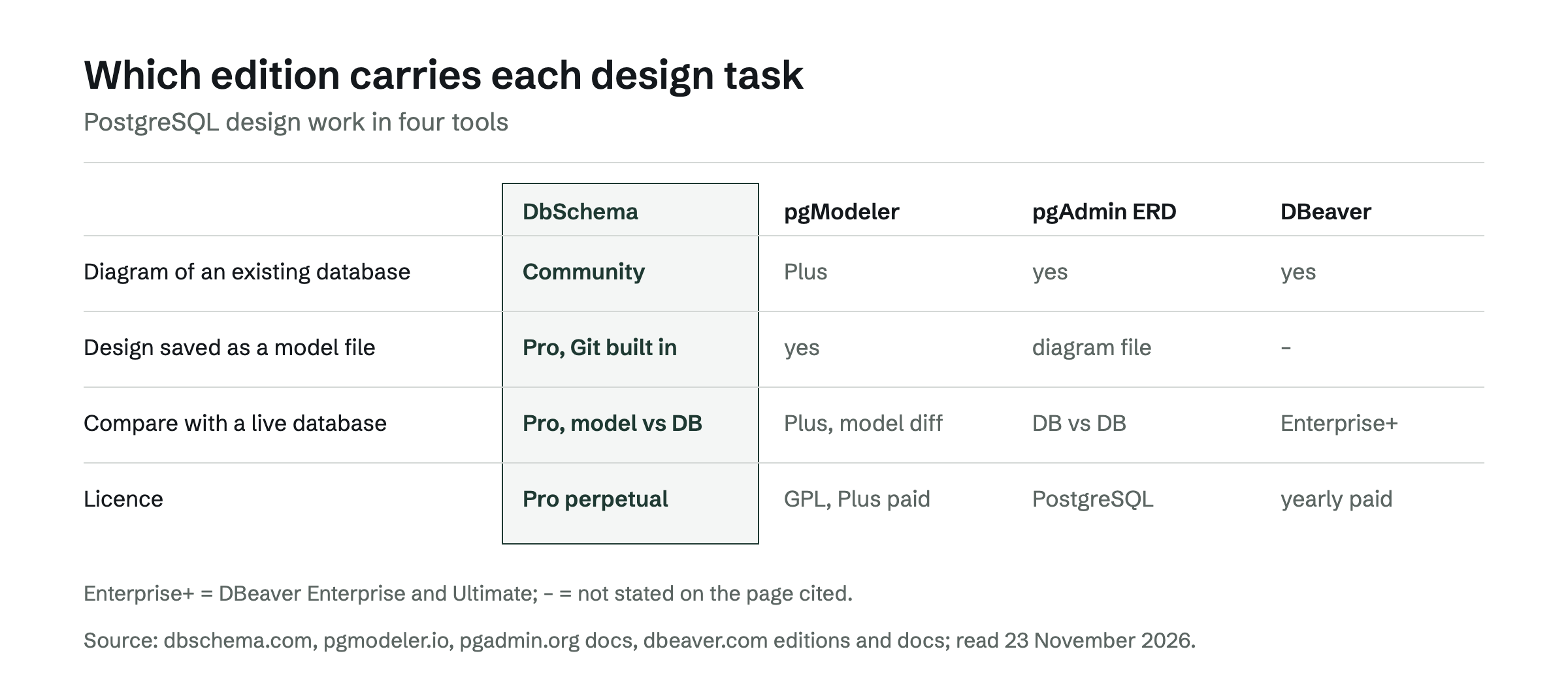
DbSchema leads the table because it covers every task in the row, from the first diagram to the reviewed migration. It is one desktop tool for Windows, macOS and Linux.
| Tool | Diagram of an existing database | Where the design is saved | Compare with a live database | Free edition | Paid edition |
|---|---|---|---|---|---|
| DbSchema | Yes, reverse-engineered from PostgreSQL | Model file, Git built in (Pro) | Schema synchronization with migration SQL (Pro) | Community Edition | Pro, perpetual licence[4] |
| pgModeler | Database import (Plus) | Model file, Git-friendly | Model diff (Plus) | Community, GPL source | pgModeler Plus[1] |
| pgAdmin ERD Tool | Yes, from a database, schema or table | Diagram file | Schema Diff tool, database to database | Free, PostgreSQL licence | –[5] |
| DBeaver | Yes, from a live connection | – | Schema compare (Enterprise, Ultimate) | Community | Lite, Enterprise, Ultimate[6] |
Values were read on 23 November 2026; a "–" means the page cited states no value.
Prices follow each vendor's own page. DbSchema Pro has a list price of USD 294, one-time, with the first year of updates included.[4] DBeaver Enterprise is listed at USD 255 a year.[6] pgAdmin 4 is free; version 9.19 was released on 29 October 2026.[5] The pgModeler purchase dialog builds the price from platform, seats and term, so this comparison quotes none.
Designing the schema before it reaches PostgreSQL
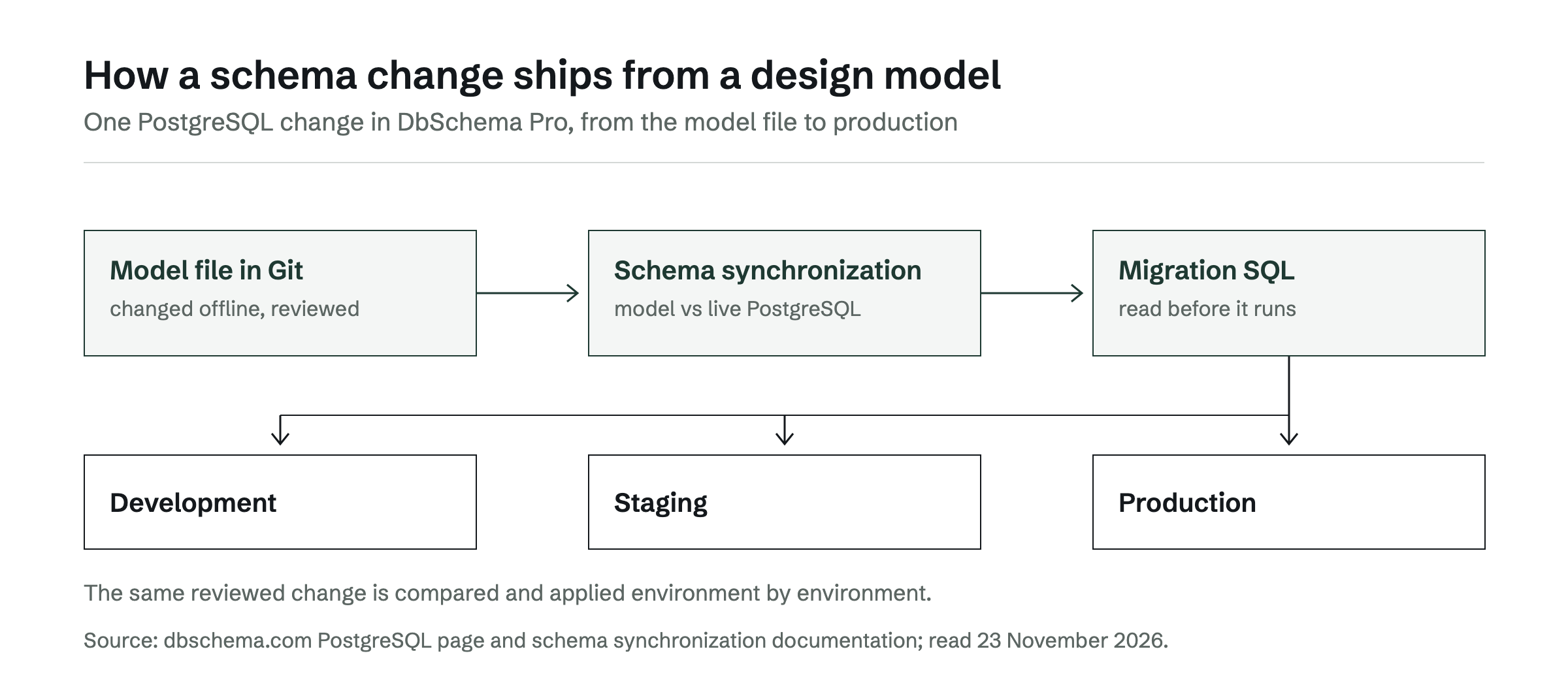
Designing before deploy means the change exists as a reviewed file before any ALTER statement runs. DbSchema Pro does this with a model file: you work offline, save tables, foreign keys and diagrams in the project, and commit it with the Git integration built into DbSchema. A schema change then gets the same pull request and review as application code.
DbSchema also splits a large schema into readable diagrams. Each domain gets its own layout and colour, and any diagram exports to PDF or SVG for a design review, as the DbSchema PostgreSQL page shows. For people outside the team, DbSchema Pro publishes HTML5, PDF or Markdown documentation with the ER diagram.
pgModeler works the same way for PostgreSQL alone. Its page describes a locally installed, Git-friendly tool that designs schemas visually and automates deployments through a CLI, with no cloud dependency.[1] The pgAdmin ERD Tool saves a diagram to a file and opens it later to continue the design.[2]
Comparing schemas and generating the migration SQL
A schema comparison tool reads two versions of a schema and writes the SQL that turns one into the other. DbSchema Pro compares the model with a development, staging or production database and generates the migration script, which the schema synchronization documentation walks through step by step. The same reviewed change moves from development to test to production, which makes DbSchema a reliable way to ship PostgreSQL schema changes: the SQL is read before it runs.
The workflow fits managed PostgreSQL too. The DbSchema PostgreSQL page names Neon, Supabase and Aurora PostgreSQL as covered by the same steps.
The peers place this step in different editions:
- pgModeler: model diff and database import are part of pgModeler Plus, the paid tier.[1]
- pgAdmin: the Schema Diff tool compares two databases or two schemas and generates synchronization scripts; both servers must run the same major version.[7]
- DBeaver: schema compare is available in the Enterprise and Ultimate editions.[8]
Which tool for which PostgreSQL design job
The right PostgreSQL database design tool depends on the job in front of you:
- Designing and changing a schema as a team: DbSchema Pro. The model file sits in Git, schema synchronization writes the migration SQL, and the documentation goes out with the diagram. List price USD 294 one-time, first year of updates included.
- A first diagram of an inherited database: the DbSchema Community Edition. It is free, needs no signup, connects, reverse-engineers and creates tables in an interactive diagram.
- Quick DDL from a sketch inside pgAdmin: the pgAdmin ERD Tool, which generates the SQL and opens it in the Query Tool.[2]
- Browsing data with a diagram on the side: DBeaver Community, free and open source.[9]
For the team that designs first and deploys reviewed SQL, the choice in this comparison is DbSchema. DbSchema works with PostgreSQL and more than 100 other SQL and NoSQL databases, and Wise Coders GmbH, its maker, is certified to ISO/IEC 27001:2022. Related reading: pgAdmin alternatives with real ER diagrams, pgAdmin vs DBeaver for PostgreSQL, DataGrip vs DBeaver for schema design and SQLite database design tools compared.
The next step is to download the DbSchema Community Edition and reverse-engineer one PostgreSQL database. Every download starts with a 15-day trial of all features, schema synchronization included.
Frequently asked questions
What is a good alternative to pgAdmin for designing PostgreSQL databases visually?
DbSchema is the alternative this comparison recommends: DbSchema Pro keeps the PostgreSQL design in a model file in Git and generates migration SQL from it. pgModeler is a PostgreSQL-only option with a GPL source edition.
Is there a free PostgreSQL database design tool?
Yes. The DbSchema Community Edition is free for any use and diagrams an existing PostgreSQL database; the pgAdmin ERD Tool and DBeaver Community are free as well.
Can DbSchema compare two PostgreSQL schemas?
Yes. DbSchema Pro compares its model with a live PostgreSQL database, lists every difference and generates the migration script to review before it runs.
Does DbSchema work with Supabase and Neon?
Yes. DbSchema names Neon, Supabase and Aurora PostgreSQL as covered by its PostgreSQL workflow.
Sources
Rankings and scores on Optinest cannot be bought — no commercial relationship changes how a provider is assessed. How we score
Related reading
All Tool reviews →DataGrip alternatives: tools for visual schema design
DataGrip is a query IDE, not a modeling tool. DbSchema, DBeaver, ER/Studio and Redgate Data Modeler compared on model files, Git, migration SQL and price.

DBeaver Alternatives for Visual Database Design
Five tools compared for schema design: model files kept in Git, schema compare that writes migration SQL, database coverage and three-year cost against DBeaver.

pgAdmin ER diagrams compared with a modelling tool
pgAdmin's ERD Tool draws a PostgreSQL diagram and writes CREATE statements. How a modelling tool like DbSchema turns diagram changes into ALTER SQL.
